Will you be my Valentine? Ask it like this
Ask "Will you be my Valentine?" with a little website where the No button runs away and the Yes sets off fireworks. You get told the moment they say yes, and it takes about 15 minutes to set up.
Free to make. No card until you send it.
For Oliver, from Ben
coupleswebsite.com/ava-and-leo
point your phone here
Will you be my Valentine
What to put on it
Starting points. Keep what sounds like you, skip the rest.
- The big question, with a No button that slides away from their finger
- A short letter first, so the question lands after some build-up
- A photo trail of your dates so far, each picture hiding a note
- A countdown to the Valentine's date you've already planned
- A gift to unwrap with a note about where you're taking them
How the big question works
The big question is a section you add after the letter. Your words come first, then a simple question: "Will you be my Valentine?" Two buttons sit underneath. Try to tap No and it slides away, again and again, until Yes is the only one left to press. That sets off fireworks on their screen, and you get told they said yes. It's playful by design, which is the point. A question asked like this is hard to answer with a shrug, and it leaves them grinning at their phone in a way a plain text rarely does.
What to put before the question
Let the page build up to it. Choose an opening, like a heart or a curtain. The letter always comes before the sections, so use it to say why you're asking: the first time you noticed them, the joke that won you over. Then add a section or two that set the mood, such as a photo trail of your dates so far, your song on the retro TV or a few notes in a jar of reasons. If you already have plans, a countdown to the date or a gift to unwrap with the reservation inside makes the yes even easier.
Who to ask, and when
This works best with someone who'll be glad to be asked: a partner, someone you've been seeing, a person who already laughs at your jokes. It's a lighthearted way to make plans, not a way to corner anyone. Send it a few days before February 14 so there's time to plan the date, or let the surprise opening (a $0.99 monthly extra) keep the page sealed until a moment you choose. Print the QR code onto a card and hand it over with a coffee, or text the link with a single line: "I have a question for you."
The sections we'd start with
Already ticked when you start from this page. Swap any of them: there are 18 to choose from.
The big question
Will you…? The NO runs away, the YES sets off fireworks and lets you know.
Photo trail
Your photos along a path, each hiding a surprise to scratch, shake or peel.

The finale
A closing line and their name written in fireworks.
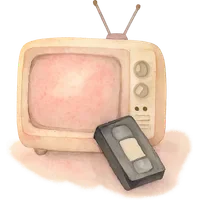
Your song
A retro TV and a videotape: they tap the tape and your song starts.
Free to make. €4.99 a month to send.
Build the whole page and see it exactly as they will. Pay only when you're ready to send it. Cancel anytime.
While you make it
Free
- Build the whole page
- See it exactly as they will
- Keep your draft as long as you like
- No account, no card
Plus
€4.99/month
- Your own link: coupleswebsite.com/your-names
- Up to 20 photos and 30 moments
- 3 sections of your choice
- A QR code to print or tuck into a gift
- No branding on the page
- Edit it anytime, cancel anytime
Extra sections and extras €0.99/month each.
Questions about a page for your will you be my valentine
Something else on your mind? Write to us.
How does the No button run away?
When they try to tap No, the button moves out of reach. It keeps dodging, so the only button left to press is Yes, which sets off fireworks. It's a joke you share, so ask someone who'll enjoy it.
Will I know when they say yes?
Yes. Pressing Yes sets off fireworks for them and sends word to you. If you also add the Write back section, they can send you a letter or kisses along with their answer.
Can I use it for a new relationship?
Yes, and it's a sweet way to do it. Keep the page short: a light letter, a song, maybe a few photos from your first dates, and then the question. It doesn't need to be a big declaration.
How much does it cost to ask?
Making the page and previewing it is free. To send it, you subscribe to Plus at $4.99 a month, cancel anytime. If you only need it for February, cancel afterwards and the page goes on a break, ready to come back.
Does it work on any phone?
Any phone or computer with a browser. There's no app to download for either of you. They tap the link or scan the QR code with their camera, and the page opens.
More ways to use it
Start from the page closest to what you have in mind. Everything changes as you write.
For your person
For an occasion
Make the thing they keep
Fifteen minutes tonight, a link they open tomorrow. Free until you send it.
Make yours